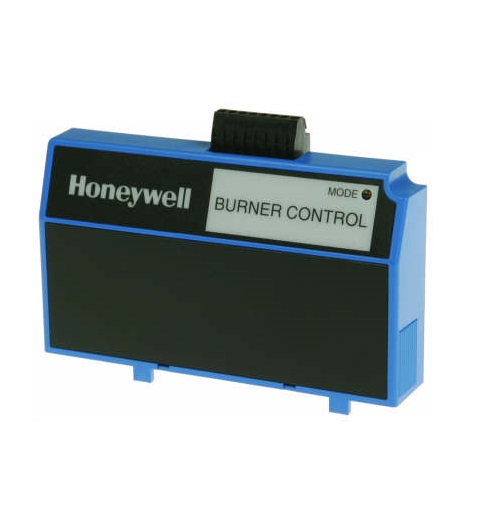

Honeywell Thermal Solutions S7810M1029 ModBus Data Control Bus Module
Description
Dimensions:
- Weight: 2 lbs
Step 1: Power off the main system before installation to prevent electric shock.
Step 2: Locate the ModBus communication slot on controller.
Step 3: Align the module’s connectors with the slot and gently insert until it clicks.
Step 4: Secure the module with the provided screws or clips.
Step 5: Connect the ModBus network cables according to the system diagram.
Step 6: Restore system power and verify communication using the controller interface.
-
What maintenance is required for the Honeywell Thermal Solutions S7810M1029 Data Control Bus Module?
Inspect the module regularly for dust, loose connections, and corrosion. Ensure wiring harnesses are secure and clean. Keep firmware updated if applicable, and power down equipment before servicing to prevent electrical damage.
-
What are common issues with the Honeywell Thermal Solutions S7810M1029 Data Control Bus Module?
- Communication errors or data loss.
- Faulty or intermittent signal transmission.
- Loose or corroded connector pins.
- Firmware incompatibilities causing faults.
Customer Reviews
No reviews yet. Be the first to write one!
Write a Review
We strive to provide our customers with a hassle-free and efficient shopping experience. Our shipping policy ensures the timely delivery of your orders and complete customer satisfaction. View More
We are committed to ensuring your complete satisfaction with every purchase. We understand that circumstances may arise where you must return a product or request a refund. If for any reason you are not satisfied, you may return the item(s) according to the terms outlined below. View More
This Payment Policy outlines the terms and conditions governing all payments made for products purchased through our website. By making a purchase, you agree to be bound by this Payment Policy. View More