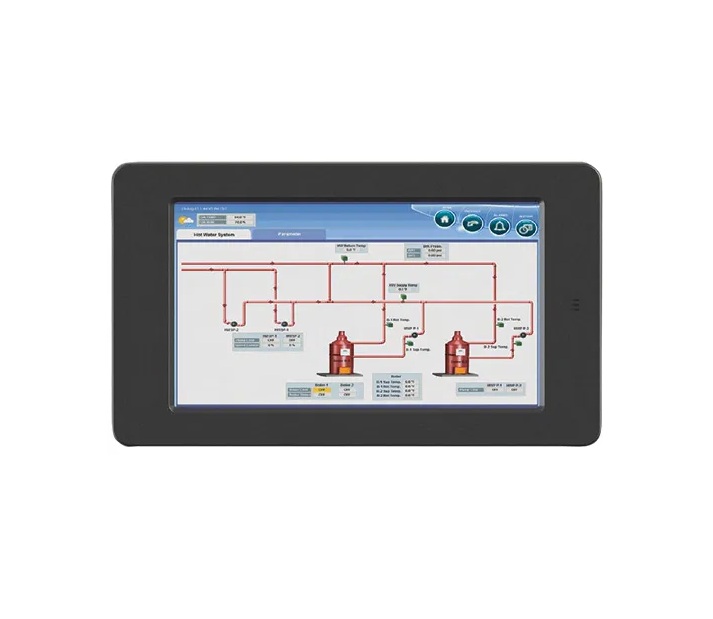
Honeywell R8001K1010 SLATE 10" Color Touch Display
Specifications:
| Attribute | Details |
|---|---|
| Type | Color Touch Display |
| Size | 10" |
Description
Dimensions:
- Weight: 4.03 lbs
Step 1: Turn off power to the HVAC system before installation.
Step 2: Choose a suitable wall location, avoiding direct sunlight and moisture.
Step 3: Mount the backplate securely using screws and anchors.
Step 4: Connect the display wiring to the HVAC system terminals as per the installation guide.
Step 5: Snap the display onto the mounted backplate.
Step 6: Restore power and verify the touch display powers on and communicates correctly with the system.
-
What maintenance is required for the Honeywell R8001K1010 Color Touch Display?
Regularly clean the touchscreen with a soft, dry cloth to remove dust and fingerprints. Check connections and mounting for stability. Proper maintenance ensures clear display visibility and accurate operation. Avoid using harsh chemicals and always power down before servicing.
-
What are common issues with the Honeywell R8001K1010 Color Touch Display?
- Unresponsive or lagging touchscreen.
- Display flickering or dimming.
- Connectivity or communication errors.
- Delayed input response or screen calibration issues.
Customer Reviews
No reviews yet. Be the first to write one!
Write a Review
We strive to provide our customers with a hassle-free and efficient shopping experience. Our shipping policy ensures the timely delivery of your orders and complete customer satisfaction. View More
We are committed to ensuring your complete satisfaction with every purchase. We understand that circumstances may arise where you must return a product or request a refund. If for any reason you are not satisfied, you may return the item(s) according to the terms outlined below. View More
This Payment Policy outlines the terms and conditions governing all payments made for products purchased through our website. By making a purchase, you agree to be bound by this Payment Policy. View More